Guide > Chat: requests and actions
Skills: choose a sound task
Skills is the task menu in Chat. Choose a task, then describe the target and requirements. Each task has its own guide below.
Choose and run a task in Chat
- 01Open the Skill menu next to the Chat input and choose a task.
- 02Prepare the REAPER selection, local libraries, or required models described in its guide, then enter specific requirements.
- 03Audition or inspect the result. For project actions, check the target, position, and duration.
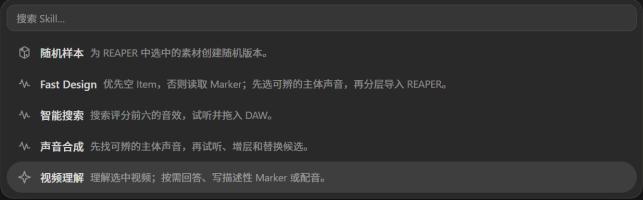
Which task should I choose?
- Create Variations
- Make slightly different versions of an existing sound.
- Fast Design
- Read empty Item or Marker descriptions and fill the REAPER timeline with local assets.
- Sound Composition
- Build a layered effect from a description using local assets.
- Smart Search
- Find individual assets without composing an effect.
- Video Understanding
- Inspect picture, answer questions, and find action and sound cues. Add Markers or design sounds when requested.
Save requirements you use often
Skills with presets let you save usual requirements, such as variation amount, asset style, and what to preserve. A preset only supplies defaults; still describe the target and goal for each task.