Guide >
Tools: local models
Check requirements, download available models, and manage their installation for features such as local video understanding.
When should I open Tools?
Open it when a Chat task needs a local model, or before using local video understanding and picture-text recognition. It is not the online LLM API settings page, and it does not install REAPER plugins.
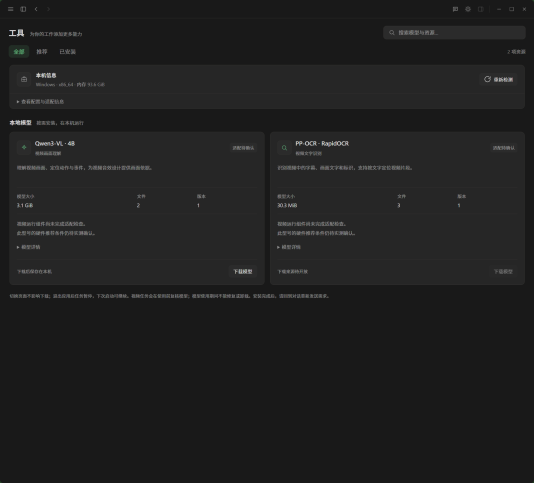
Check whether your machine is suitable
- 01Review the machine summary. Recheck after changing hardware or the runtime environment.
- 02Use Recommended or search for a model. Read its size, purpose, and detailed requirements.
- 03Check the assessment—suitable, usable but slower, requirements not met, or compatibility unconfirmed—before downloading.
Download, pause, and resume
- 01Download only resources with a Download model button. A source marked pending is not available for installation here yet.
- 02Watch download, verification, and installation progress. Pause, resume, cancel, or retry as needed. Switching app pages does not stop a task.
- 03After installation, return to Chat and resend the request that needs the model.
Check installed models
Use Installed to see local resources. Verify suspect files before repairing them. Confirm before uninstalling a model you no longer need. A model in use cannot be repaired or removed; finish its task first.